Images
Last Update: 5 August 2018If your site is image heavy then it’s important to continually keep an eye on the size of the files being uploaded. The more images you continue to add to your pages the slower your load time will be. Additionally, if you are no longer using certain images then we recommend reduce the amount of storage being used.
There are many plugins available that can optimize your images after you have uploaded them to your website.
Below are a list of recommend plugins. Always check that a plugin is compatible with your current version of WordPress before installing to prevent security hacks.
The importance of optimizing your images should not be underestimated. Optimizing your images will reduce your website’s page loading times, reduce bandwidth and improve the browsing experience for visitors. Your search engine ranking should also improve due to your pages loading quicker.
Please remember that whilst compressing an image will reduce file size, quality can also be notably reduced if you compress an image too much. It is therefore important to get the balance between image quality and image file size right.
Optimizing Your Images for SEO
So far we’ve concentrated on the display properties of images, but SEO optimization is of equal importance to your site’s overall success. Let’s quickly review the basics:
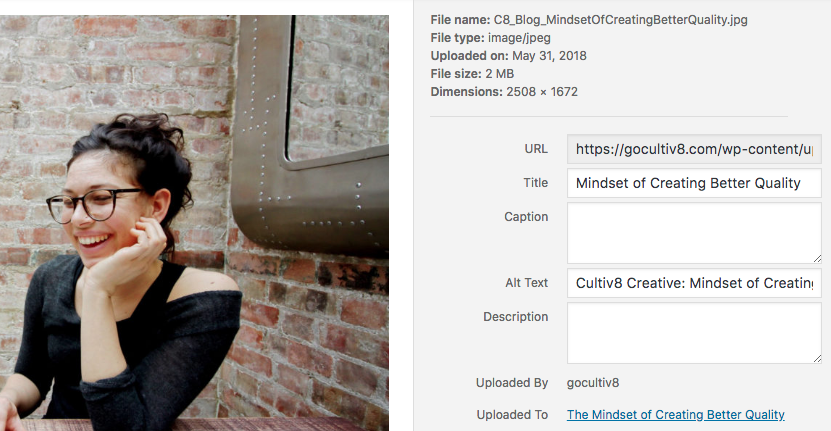
- Filenames: Use descriptive filenames that showcase your keywords rather than meaningless generic names. For example, use “green-child-bicycle.jpg” rather than “BX8A132E.JPEG”.
- Alt tags: Provide a succinct, non-spammy alt tag for each image for reasons of SEO and wider accessibility. For example, “alt=’Side view of a child’s green bicycle’”.
You can update the above information for each image individually through the Media Library.