
SEO
Last Update: 5 August 2018Your website is equipped with Yoast SEO plugin. The #1 plugin for optimizing your website for search engines. Standard SEO data has been added to the core pages of your website (unless stated otherwise). Use the instructions below to manage/modify existing data or add data to new pages/posts.
The Yoast SEO Meta Box is located at the bottom of every page and post.
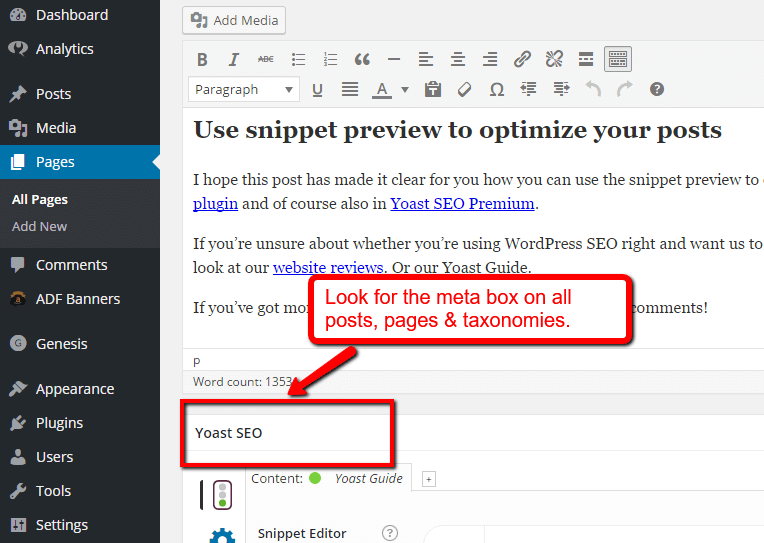
The Meta Box
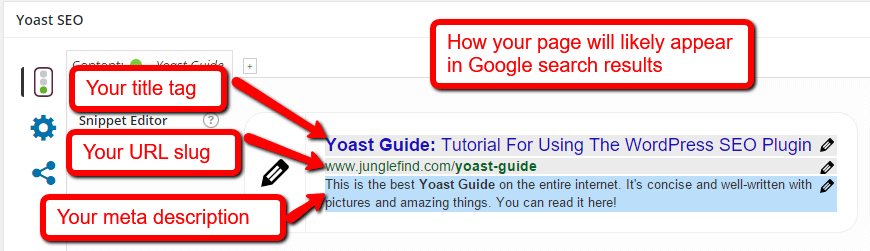
Snippet Preview – this takes your meta data (ie, the page title and description) and shows you what it will look like in Google search results.
Focus Keyword – “what is focus keyword yoast seo” is a very common question about using Yoast SEO. It is the keyword you most expect your post to rank for, and best describes your post. In other words, if someone searched for your focus keyword, you would want (and expect) your post to show up in Google.
Filling out the Focus Keyword field in Yoast is not necessary, but can generally help you align your language with the language you expect people searching to use. Yoast will take your focus keyword and run a check to make sure you’ve used it appropriately throughout your post so that it will be obvious to search engines what your post is about. Additionally, even though Yoast SEO allows 1 field, you should be targeting a “theme” of keywords with your post so you don’t start stuffing the same keyword over and over.
SEO Title – often the title you want to use on your blog is not the most descriptive title for visitors coming through search engines (additionally, your page title is the #1 on-page factor search engines use to evaluate the relevance of your post). Filling out this field will replace your post title in the <title> tag while leaving the main title on your actual site.
Meta Description – this field allows you to customize the 2 lines of description that appear in the search results (and many social shares). It’s a great way to have a descriptive “advertisement” to potential visitors to click through. It’s not a ranking factor, but any keywords that appear in it will be bolded to stand out a bit more.
If you look at Content Analysis, Yoast SEO runs a quick check of your post for SEO best practices based on your focus keyword. Take all these recommendations as a very rough guide, and keep in mind that you should always write for the end user, not specifically for search engines. That said, usually these are best practices for SEO particularly because they also help the user. Look at the page analysis for ideas, but also look at your post with a critical eye towards what a user searching would be looking for and how you can answer their question.
SEO Analysis
At present, Yoast SEO performs these checks:
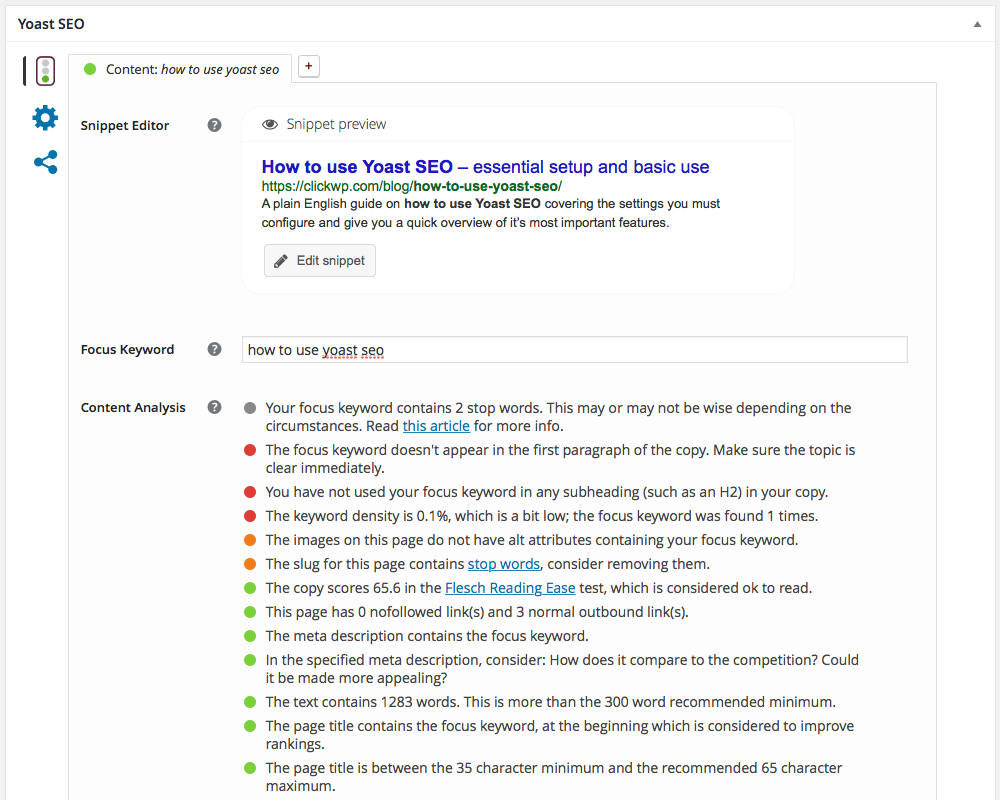
In the image above you can see the different characteristics of your text that is analyzed.
- If you want your page to rank for a specific keyword, you should write at least 300 words about it. Otherwise, it may be considered a ‘thin content‘ page by Google, and you want to avoid that.
- Add a meta description; it will invite visitors in Google to your website. Use the focus keyword and make it enticing to click.
- You want to make clear right from the start what the page is about, so start adding the focus keyword from the beginning.
- Add images to create a vivid experience for your users. Use the focus keyword in the ALT text so that Google can relate that image to the keyword.
- To set up a proper site structure, link to at least one other related pageon your site. It keeps visitors on your site and shows them more (background) information.
- We want sites to link to other websites as well, as this opens up the web. Point people to the websites where you get your information. It’ll tell Google what websites relate to each other on what subjects.
- A short page title allows you to add a trigger for a visitor in Google to click to your website.
- If you add that focus keyword at the beginning of your title, it will have the most value. Also, it will immediately stand out when your post is shared
- Repeat your focus keyword in your URL. As a result, even without context, it will be clear what clicking that link will bring you. Furthermore, Google also likes having it in there.
- You optimize a page for a certain keyword – not a website. Prevent competing pages! Yoast SEO will warn you if you write more than one post about the same keyword. When this happens, use a variation, or a long tail keyword.